
What It Is
A free, beginner-friendly Google Sheets system for managing keyword research and SEO content planning.
Stop keeping keyword ideas scattered across different tools.
Use this simple SEO keyword tracker to organize research, map keywords to content, avoid keyword overlap, and track ROI.
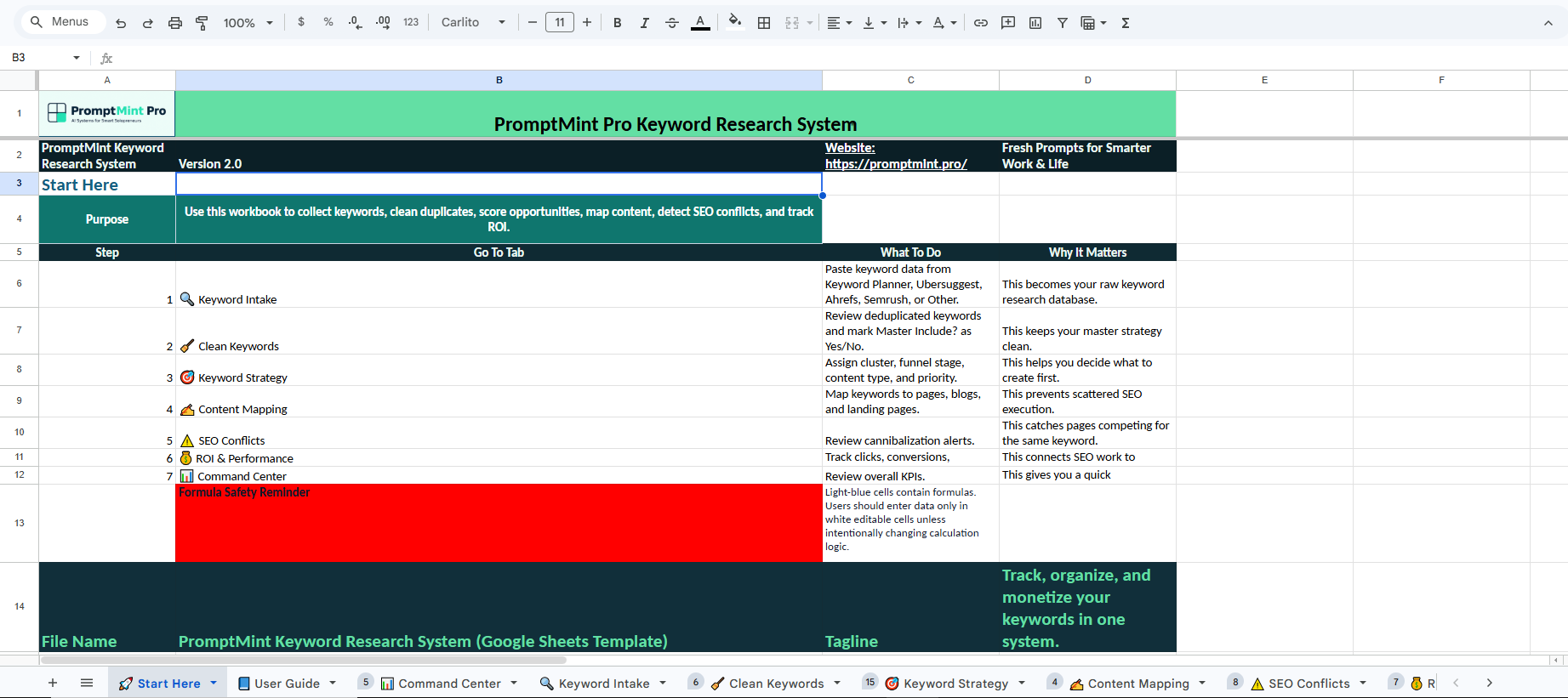
This free Google Sheets template gives you one structured place to collect keywords, decide what to target, map them to content and track what produces results.
A free, beginner-friendly Google Sheets system for managing keyword research and SEO content planning.
Organize keyword data, compare opportunities, identify search intent and decide which keywords deserve priority.
It helps prevent keyword cannibalization, duplicated content and wasted effort caused by pages targeting the same terms.
Keyword intake, strategy, content mapping, SEO conflict checking, performance tracking and step-by-step guidance.
Most people collect keywords from different tools, paste them somewhere, and then forget which keywords were used, which pages targeted them, or which ones actually produced results. This template gives you one clean place to manage your keyword research workflow.
| Title | Description |
|---|---|
| Scattered Data | Keywords spread across tools |
| No Priority | You don’t know what to target |
| Keyword Overlap | Pages compete against each other |
| No ROI Tracking | No idea what makes money |
| Title | Description |
|---|---|
| Keyword Intake | Paste data from all tools |
| Keyword Strategy | Identify best opportunities |
| Content Mapping | Track keyword usage |
| SEO Conflicts | Detect cannibalization |
| ROI Tracker | Measure real performance |
| User Guide | Step-by-step instructions |
| Step | Text |
|---|---|
| 1 | Add keyword data |
| 2 | Review strategy |
| 3 | Map keywords |
| 4 | Track results |
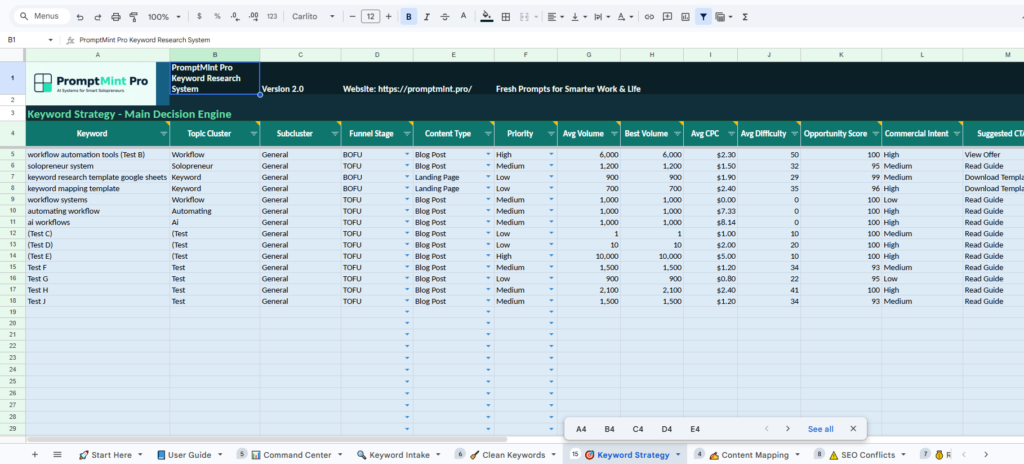
A keyword research system helps organize keyword ideas, search intent, content mapping, and SEO opportunities in one workflow. Instead of storing keywords across spreadsheets, tools, and notes, you can manage everything from a central dashboard.
This improves keyword prioritization, reduces content duplication, and makes it easier to track which SEO efforts generate traffic, leads, or revenue.
Many marketers, freelancers, solopreneurs, and business owners use keyword research systems to create more structured content strategies and avoid wasted SEO work.
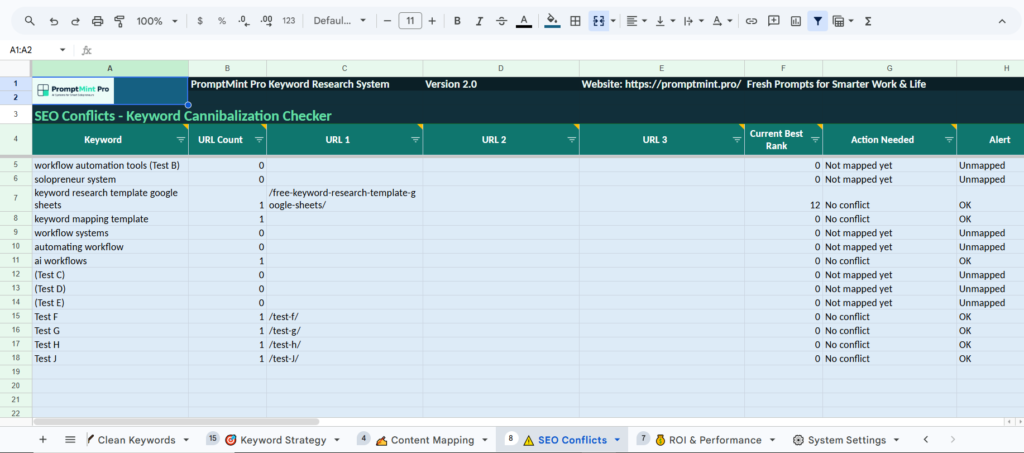
Keyword cannibalization happens when multiple pages target the same keyword. This can confuse search engines and weaken ranking performance.
The built-in keyword cannibalization tracker helps assign keywords to specific pages so every keyword has a clear purpose. This improves content organization, reduces overlap, and creates a cleaner SEO structure.
By tracking keyword ownership, you can identify duplicate targeting issues before they affect rankings.
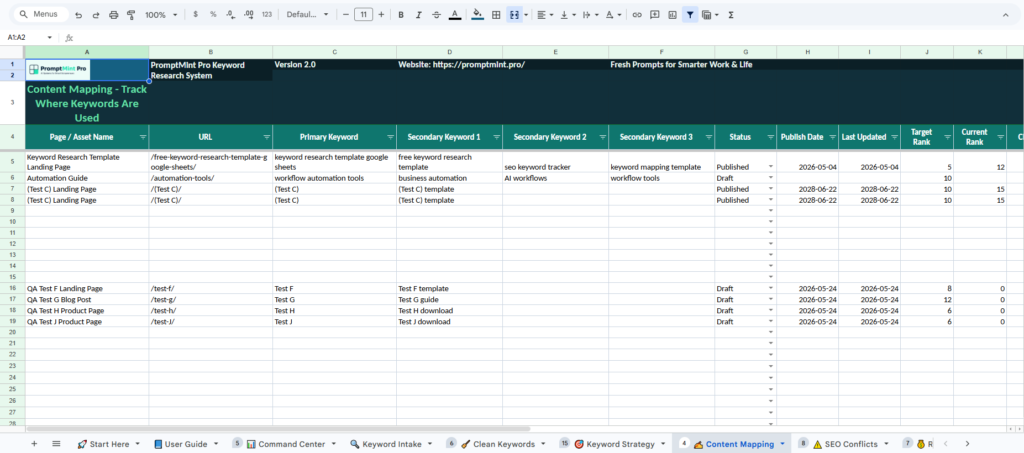
The system can also be used as an SEO content planner template.
Map search intent, create content ideas, and assign target keywords. Set publishing priorities all from one dashboard. This makes it easier to build topic clusters, identify content opportunities, and establish a structured publishing workflow.
Instead of just creating content on a whim, you can map each article to a keyword strategy and content goal.
A keyword research system helps organize keyword ideas, content mapping, SEO priorities, keyword ownership, and performance tracking. The PromptMint Keyword Research System uses Google Sheets to help marketers, freelancers, solopreneurs, and business owners manage SEO workflows from one dashboard.
A keyword cannibalization tracker records which keywords are assigned to which pages. This helps prevent multiple pages from competing for the same search term and improves SEO organization.
Yes. The system can organize keyword research, content ideas, publishing priorities, search intent, and topic clusters within a structured workflow.
A keyword research system is a structured way to collect, organize, prioritize, and track keywords before creating content. Instead of keeping keyword ideas scattered across tools, it helps you compare search intent, volume, difficulty, content usage, and SEO opportunities in one workflow.
Organize keyword research by separating raw keyword data, keyword priority, content mapping, and performance tracking. Start by collecting keywords from tools like Google Keyword Planner, Ubersuggest, Ahrefs, or Semrush, then group them by topic, intent, funnel stage, and content opportunity.
Keyword cannibalization happens when two or more pages on the same website target the same or very similar keyword. This can confuse search engines, split ranking signals, and reduce performance. A keyword mapping system helps assign each keyword to one clear page or content asset.
Yes. This Google Sheets keyword research template is designed for beginners, solopreneurs, freelancers, marketers, business owners, content creators, and data analysts. It includes a Start Here guide, organized tabs, dropdowns, formulas, and examples so users can begin with a simple keyword workflow.
Yes. The template can organize keyword data from Google Keyword Planner, Ubersuggest, Ahrefs, Semrush, and other tools. You can paste keyword volume, CPC, difficulty, intent, and notes into one system, then use the tracker to compare opportunities and plan content.
A keyword tracking spreadsheet helps you avoid random SEO work. It gives you one place to track keyword ideas, content usage, SEO conflicts, and performance. This makes it easier to decide which keywords to use, which pages to create, and what to improve later.
Looking to improve more than just SEO?
Take the PromptMint Pro Solopreneur Diagnostic to identify growth bottlenecks across lead generation, revenue stability, systems, content, AI readiness, and business operations.
You can also explore the Career Resilience Diagnostic to evaluate long-term adaptability in a changing AI-driven economy.
© 2026 PromptMint Pro. All rights reserved.
PromptMint Pro provides practical AI systems, templates, workflows, and resources designed to help solopreneurs, freelancers, marketers, creators, and small business owners work smarter and operate more effectively.
The free keyword research system template is provided for educational and informational purposes only. Results will vary depending on your niche, content quality, competition, and implementation.
Google Sheets is a trademark of Google LLC. PromptMint Pro is not affiliated with, endorsed by, or sponsored by Google LLC.
By accessing this resource, you agree to our Privacy Policy and Terms of Use. We respect your privacy and will never sell your personal information.
Work Smarter. Operate Better.
Better.
We use cookies to improve your experience on our site. By using our site, you consent to cookies.
Manage your cookie preferences below:
Essential cookies enable basic functions and are necessary for the proper function of the website.
These cookies are used for managing login functionality on this website.
Stripe is a payment processing platform that enables businesses to accept online payments securely and efficiently.
Service URL: stripe.com (opens in a new window)
Statistics cookies collect information anonymously. This information helps us understand how visitors use our website.
Google Analytics is a powerful tool that tracks and analyzes website traffic for informed marketing decisions.
Service URL: policies.google.com (opens in a new window)
Google reCAPTCHA helps protect websites from spam and abuse by verifying user interactions through challenges.